Topping up Using Bank Details for Individual Customers
Topping up using bank account details is a universal option for individual customers to top up their TokenSpot wallet with rubles using wire transfer.
This option is suitable for most individual customers regardless of which bank they use. All you need to do is create a deposit request indicating your desired top-up amount, and follow on-screen instructions.
You can only top up your wallet with Russian rubles (RUB).
Deposit Conditions
Minimum deposit amount: 600,000 RUB
Deposit fee: 1% of transaction amount
In most cases, your top-up amount will be credited to your TokenSpot account on the same day or the next day between 8 am and 8 pm. Cross-border transfers may take up to 5 working days to be credited.
How to Top up Your Balance
- Go to Wallet → Deposit.
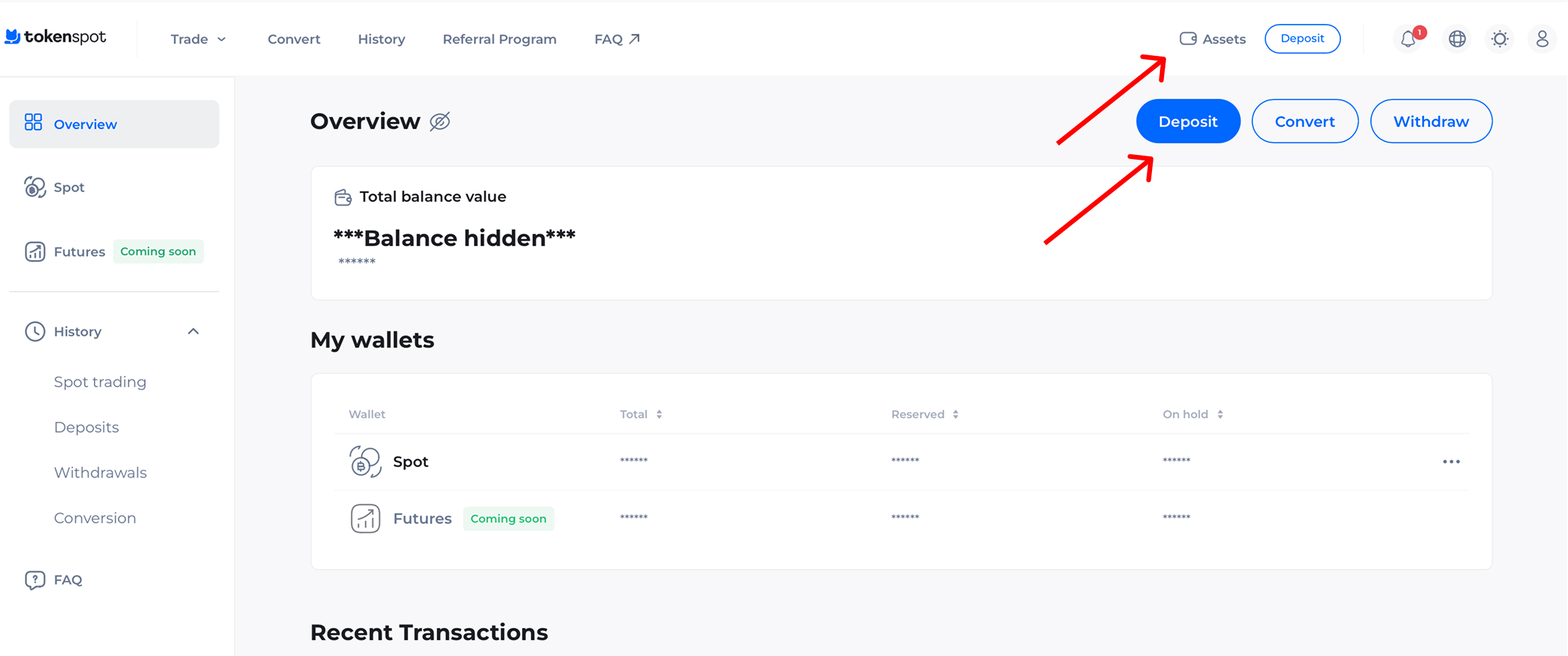
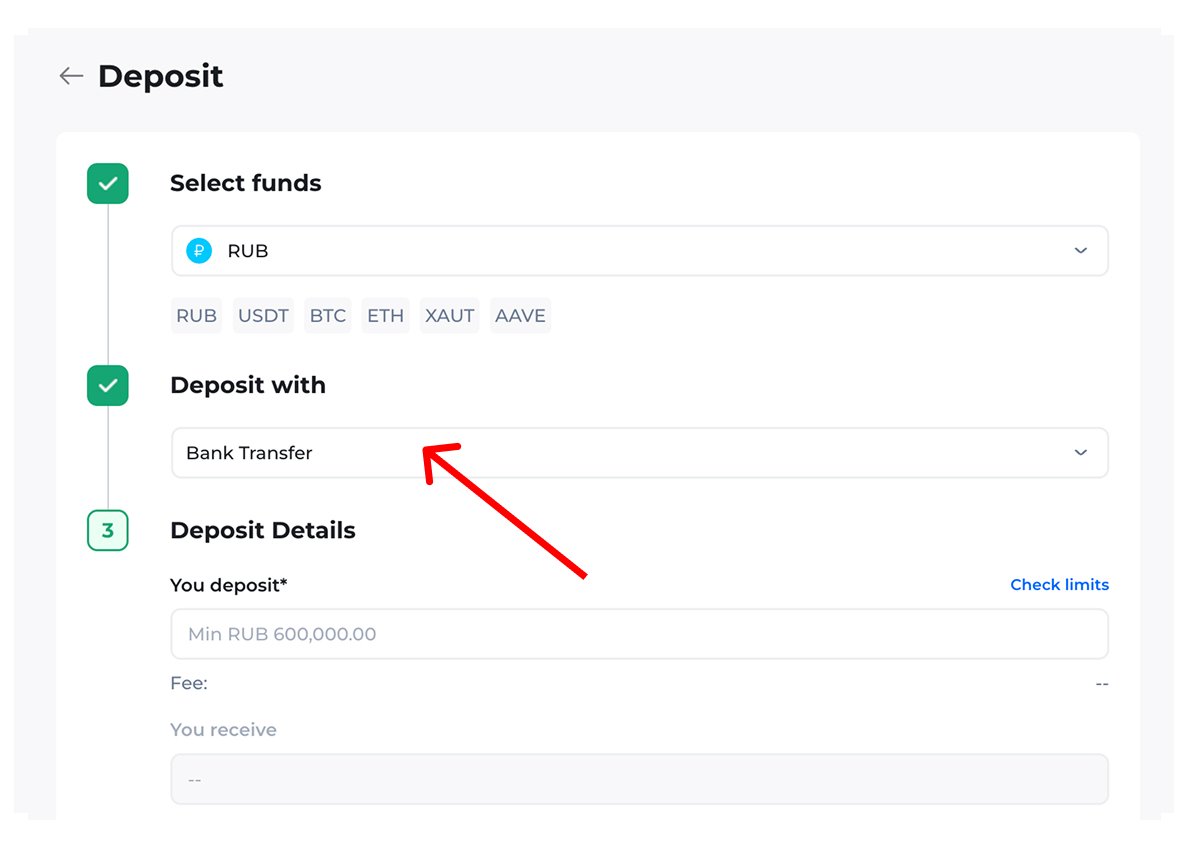
- Select RUB as your deposit currency.
- Select Wire Transfer as your deposit option.
- Enter your deposit amount in the You Deposit field and press Submit.
- Contact Customer Support for our bank account details.
- Make a wire transfer from your personal bank account and press Confirm.
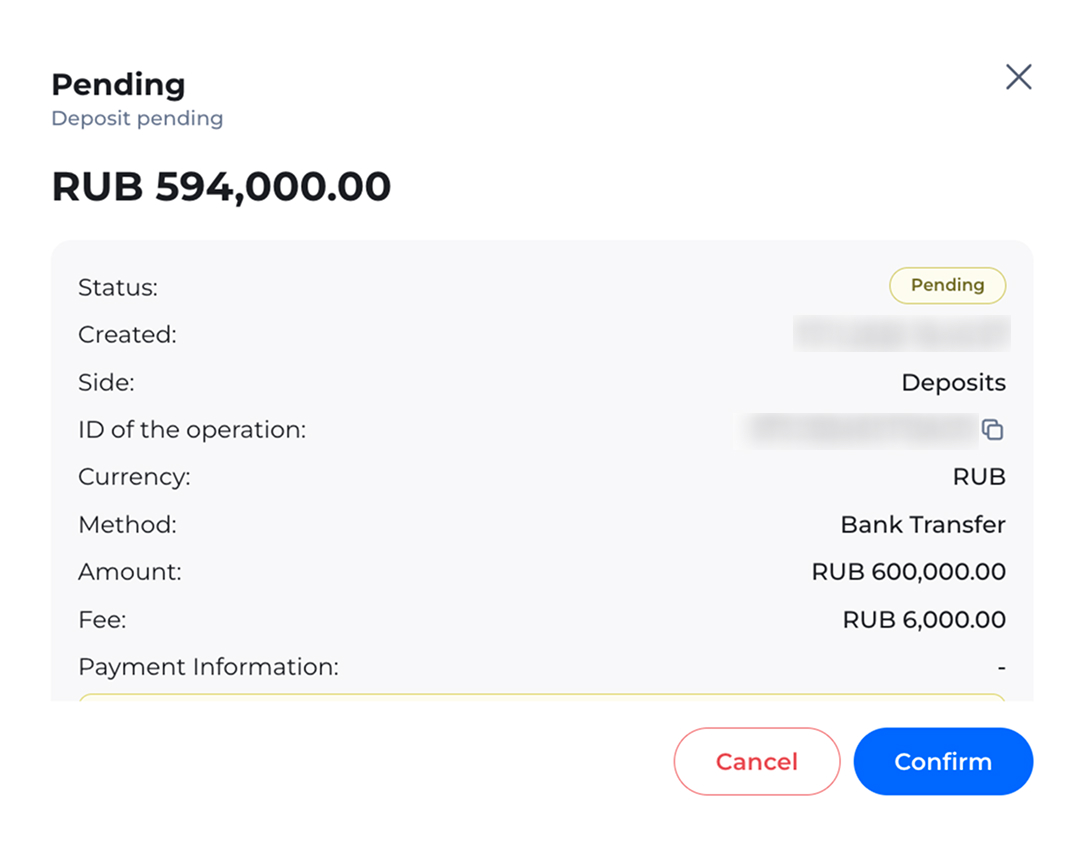
- Once your wire transfer has been verified, your deposit amount will be credited to your TokenSpot account, and you will receive a notification to that effect.
Important: Make sure to indicate the purpose of payment in accordance with the instructions before making the wire transfer, including your TokenSpot user ID.
Important Information
- Make a transfer from your personal bank account only.
- The sender’s name must match the name of the TokenSpot user, otherwise your deposit request will be declined.
- Make sure to indicate the purpose of payment in accordance with the on-screen instructions, including your TokenSpot user ID, otherwise it will not be possible to top up your balance.
- Make sure all the details are entered correctly before confirming the wire transfer. If you provide incorrect bank account details or purpose of payment, your deposit request may be declined.
What if the deposit amount fails to arrive on my TokenSpot account?
If your deposit amount is not credited to your TokenSpot account in due time, contact Customer Support, stating the:
- deposit amount,
- transaction date and time,
- name of the bank used for the transfer,
- deposit request ID (if it is displayed on your dashboard).
Making a Withdrawal
We are currently working to develop a secure and convenient feature for withdrawing money (RUB) from your TokenSpot account. We will specifically announce it via our official channels once this feature is operational.
For the time being, users can withdraw crypto from their TokenSpot account to any external wallet. Click here to find out more about this option.