Withdrawal to a bank card is a quick and easy way to transfer money from your TokenSpot account to a card issued by any bank.
You can only withdraw funds in Russian rubles (RUB). Supported payment systems include MIR, Visa and Mastercard.
This withdrawal option is available for individual clients only.
How to Withdraw Funds to a Bank Card
Requirements:
— You must have a verified user account,
— You must have rubles (RUB) on your TokenSpot balance,
— Withdrawal to bank card must be available at the time of the transaction.
- Go to the TokenSpot website and log into your account.
- Go to Wallet → Withdraw
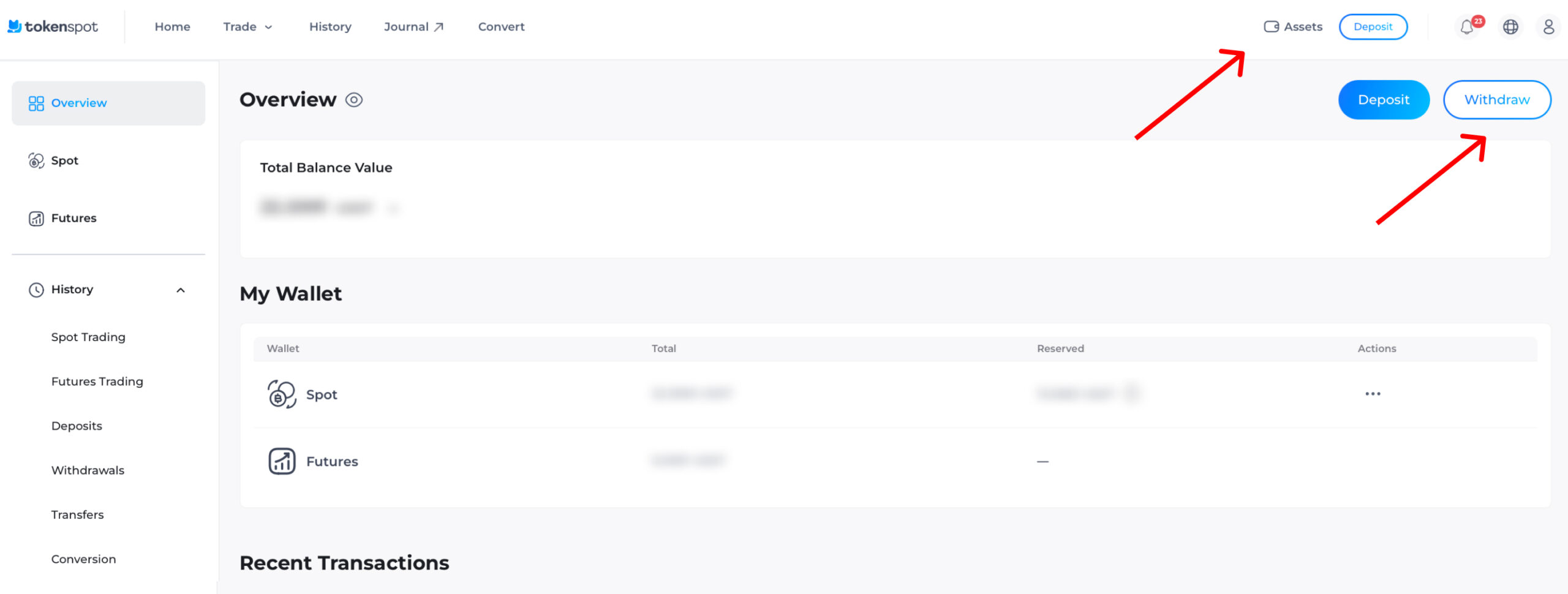
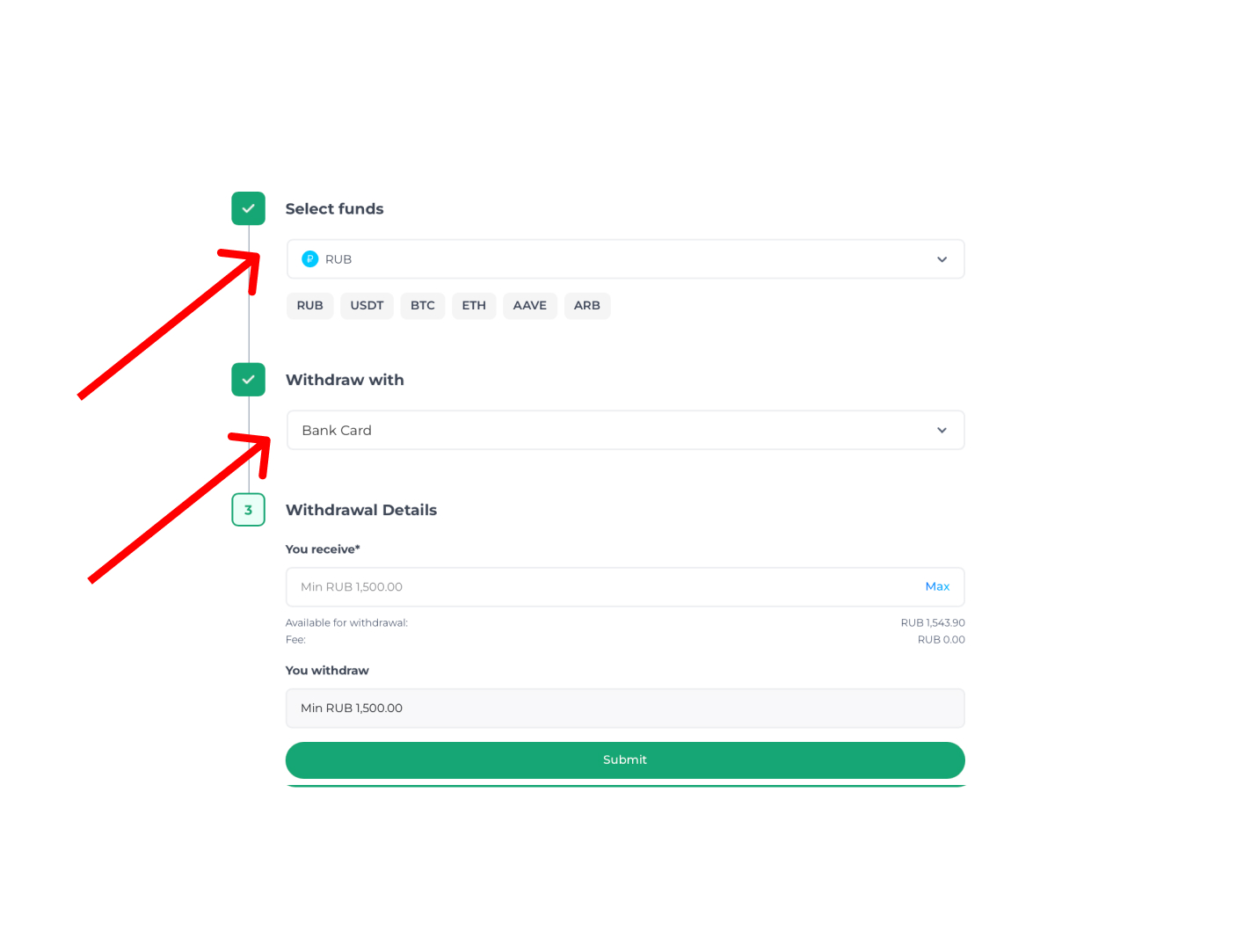
- Select RUB as your withdrawal currency.
- Select withdrawal By Card Number.
- Enter your withdrawal amount and press Submit.
- A card details form will pop up. Enter your card number and press Submit again.
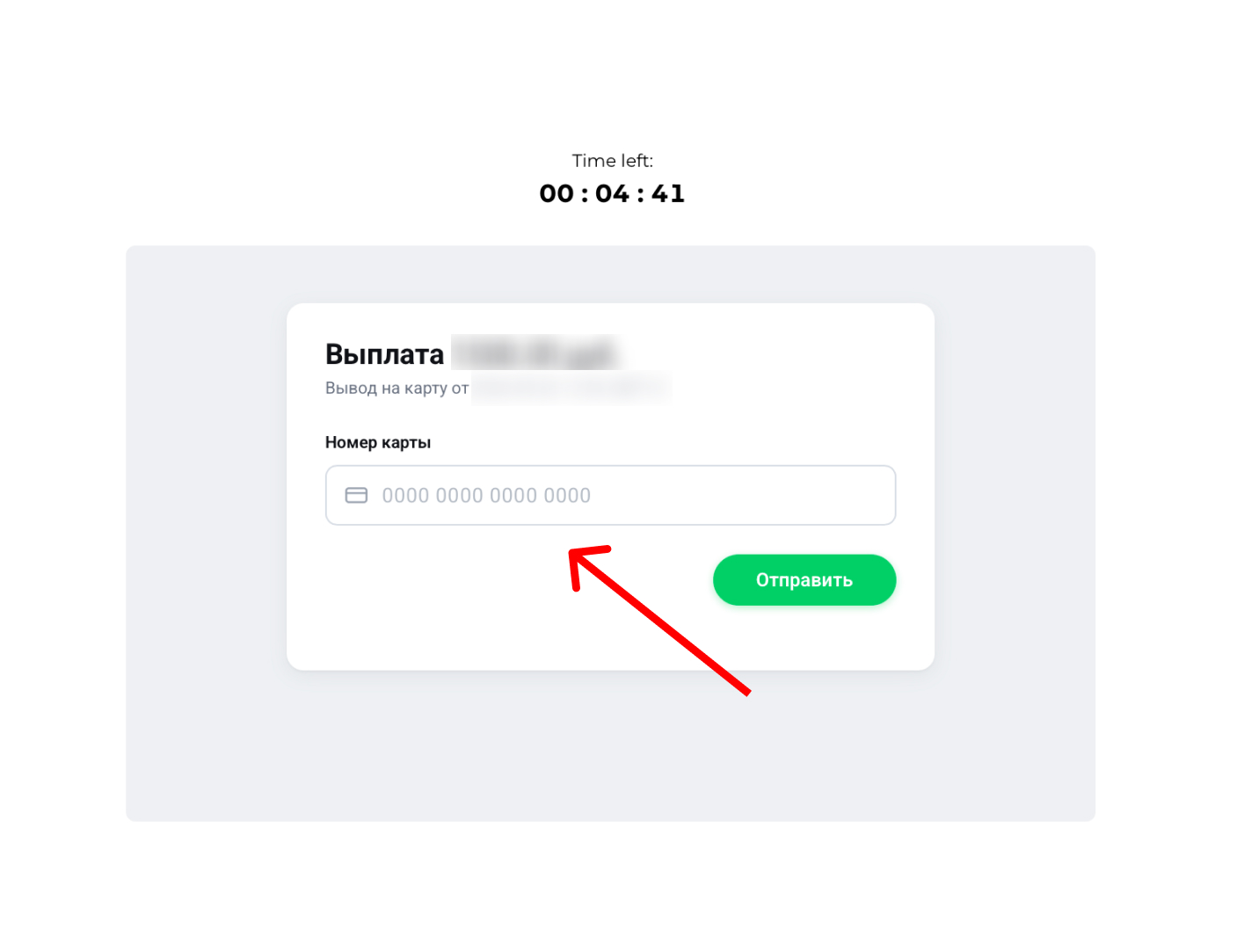
Please check the recipient’s card number before confirming the withdrawal. If you enter an incorrect card number, the funds you withdraw may be transferred to a wrong card.
Once you press Submit, the platform will automatically create a withdrawal request and display its status on your account dashboard. Please note that the card details form may take a few seconds before it pops up.
You do not need to link your bank card to your account in advance: simply enter the card number when you create the withdrawal request.
If any questions arise, you can always contact Customer Support for assistance.
Withdrawal Fees and Limits
Fee: 2.5% of transaction amount
Minimum withdrawal amount: 1,500 RUB
Maximum transaction amount: 100,000 RUB per transaction
Possible Issues and Solutions
1. Withdrawal takes too long to process
Sometimes processing a withdrawal request may take longer than usual.
If your withdrawal request remains pending for too long, contact Customer Support, stating your:
— withdrawal amount,
— transaction date and time,
— recipient’s card number.
2. Withdrawal request returns with an error
Check whether:
— the recipient’s bank card is active,
— the bank card supports incoming transfers,
— the card’s transaction limits have been exceeded.
If the error recurs, try creating a new withdrawal request, or contact Customer Support.
3. Funds were deducted from your balance but not credited to your bank card
If the withdrawal amount was deducted from your TokenSpot account but didn’t arrive on your bank card, contact Customer Support, stating your:
— withdrawal amount,
— transaction date and time,
— recipient’s card number.
We will check the transaction status and help you sort it out.
4. The ‘Withdrawal to Bank Card’ option is missing
Possible reasons:
— You have not verified your account,
— Withdrawal is temporarily unavailable,
— The Platform is currently on maintenance.
You will find all necessary information on topping up your TokenSpot account here.